
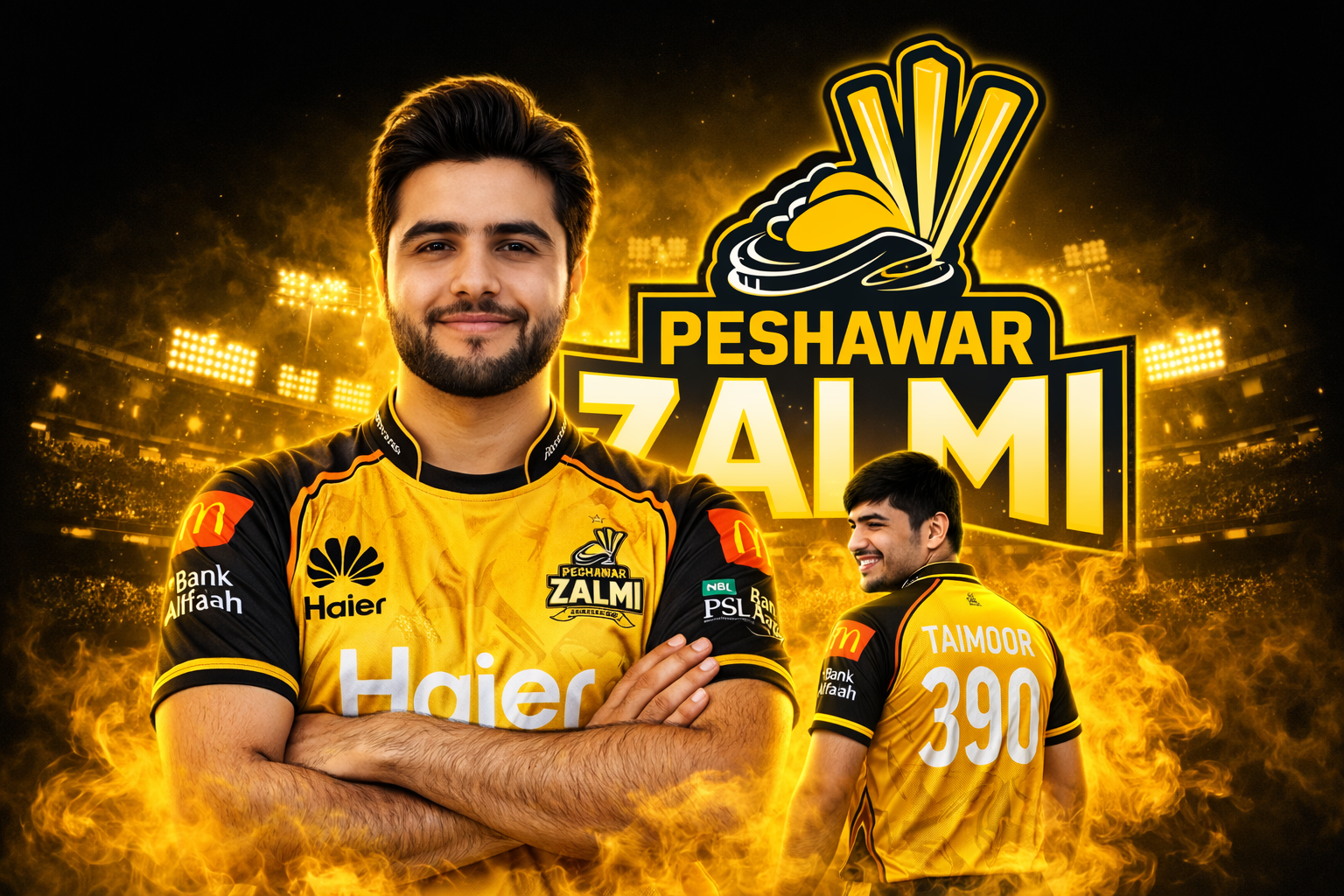
If you’re a cricket fan—especially of the Pakistan Super League (PSL)—you’ve probably seen those high-end, dramatic player posters with glowing effects, team branding, and cinematic vibes.
What if I told you… you can create one of those yourself using AI? 😏
In this blog, I’ll show you exactly how to generate a professional PSL-style poster using a powerful prompt—no design skills needed.
🎯 What This Prompt Creates
Using this prompt, you can generate:
- A professional cricket poster with your face
- Official team-style jersey design
- Dual composition (front portrait + back pose)
- Cinematic smoke effects matching team colors
- A stadium + logo-style background
- A final result that looks like a real PSL player poster
🧠 Key Concept Behind the Prompt
This prompt works because it combines:
- Identity preservation (your real face)
- Team branding (colors, logos, style)
- Cinematic lighting and effects
- Structured composition (main + secondary pose)
It’s not just a prompt — it’s a design blueprint.
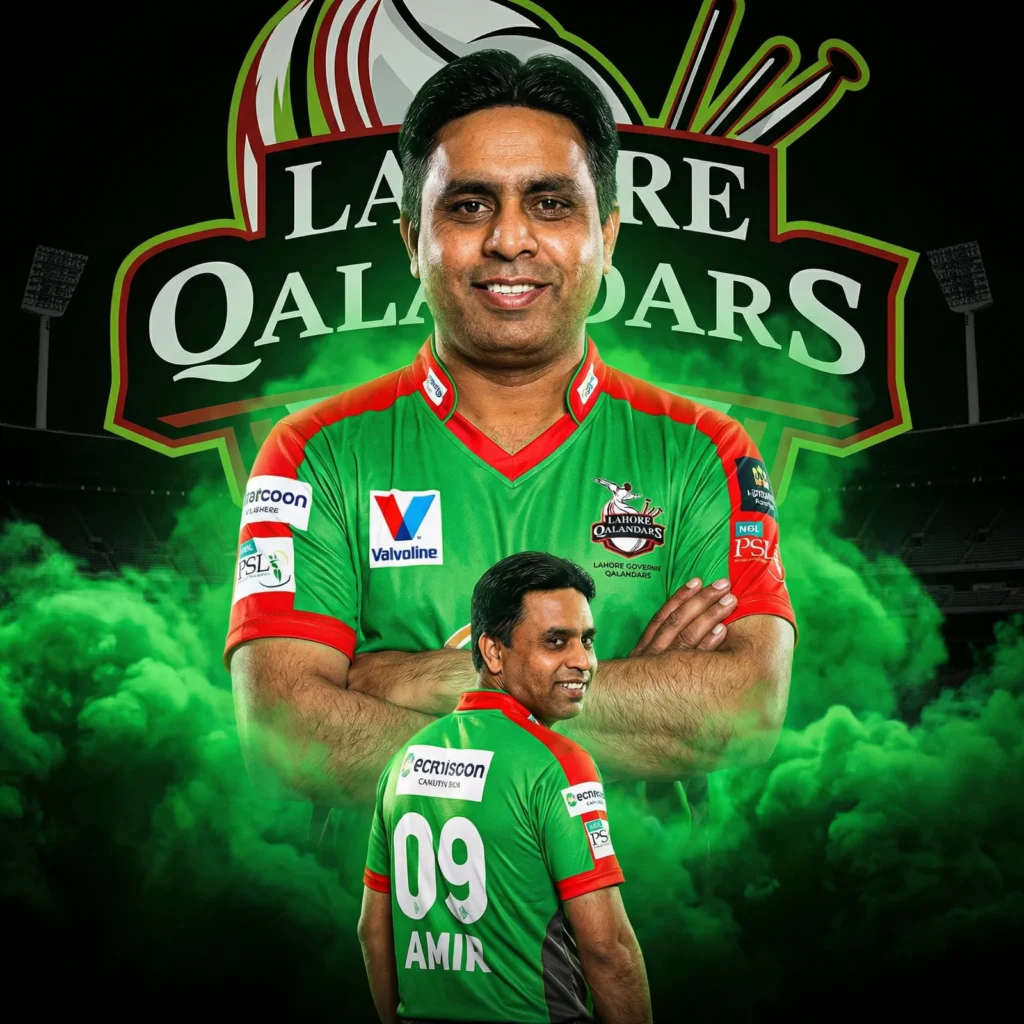
🎨 Why This Prompt Works So Well
1. Face Preservation
It clearly instructs the AI:
“keep my facial features exactly the same”
This ensures your identity stays realistic.
2. Smart Color Matching
Instead of random effects:
“extract the primary jersey color and apply the exact same tone to the smoke”
This creates perfect visual harmony.
3. Dual Character Composition
You get:
- Hero pose (front)
- Personality shot (back)
This is exactly how real sports posters are designed.
4. Cinematic Impact
With:
- Dark background
- Stadium lights
- Glowing smoke
- High contrast lighting
You get a premium, broadcast-ready look.
🏏 Customize It for Any Team
You can easily tweak this prompt:
| Team | Change |
|---|---|
| Karachi Kings | Replace team name + blue theme |
| Lahore Qalandars | Use red + green tones |
| Multan Sultans | Use blue + gold |
| Islamabad United | Use red + orange |
Just change:
- Team name
- Jersey colors
- Text name/number
The Full Prompt (Copy & Use)
Create a dramatic PSL-style poster portrait size, using my photo (use the uploaded image as reference and keep my facial features exactly the same, do not alter the face).
The team is “Peshawar Zalmi”. Design everything according to this team’s official identity, colors, and branding.
Keep my facial features exactly the same as in my photo but put me in the official 2026 style jersey of this team, with sponsor logos in white on the chest and sleeves.
Make two versions of me:
one large portrait from the chest up with arms crossed and a confident smile in the center, and one back-body image of me below wearing the same team jersey with white colour 390 “YOUR NAME” on the back smiling.
IMPORTANT: The smoke color must automatically match the dominant color of the team jersey. Extract the primary jersey color and apply the exact same color tone to the smoke. Do not use any unrelated default colors.
The smoke should be dense, cinematic, and glowing, perfectly matching the team’s color palette.
Use a dark black background with a large logo-style text of the team name and a stadium silhouette behind me, similar to a cricket team emblem.
Use vivid, high-contrast lighting to make my face and jersey stand out.
Make the overall style sharp, colorful and suitable for a sports poster.
💡 Pro Tips
- Use a clear front-facing photo for best results
- Slight smile works better than a serious face
- Good lighting in your photo = better output
- Avoid sunglasses or heavy shadows
🚀 Final Thoughts
This isn’t just a cool trick—it’s a powerful way to:
- Create personal branding content
- Design sports-themed edits
- Go viral on social media 🔥
With the right prompt, you can turn yourself into a PSL-style superstar.